
Click the refund button on the invoice or payment to change the status of the invoice from paid to overdue
To do this via invoice:
- Navigate to the customer dashboard >Invoice. Click Details on the invoice.
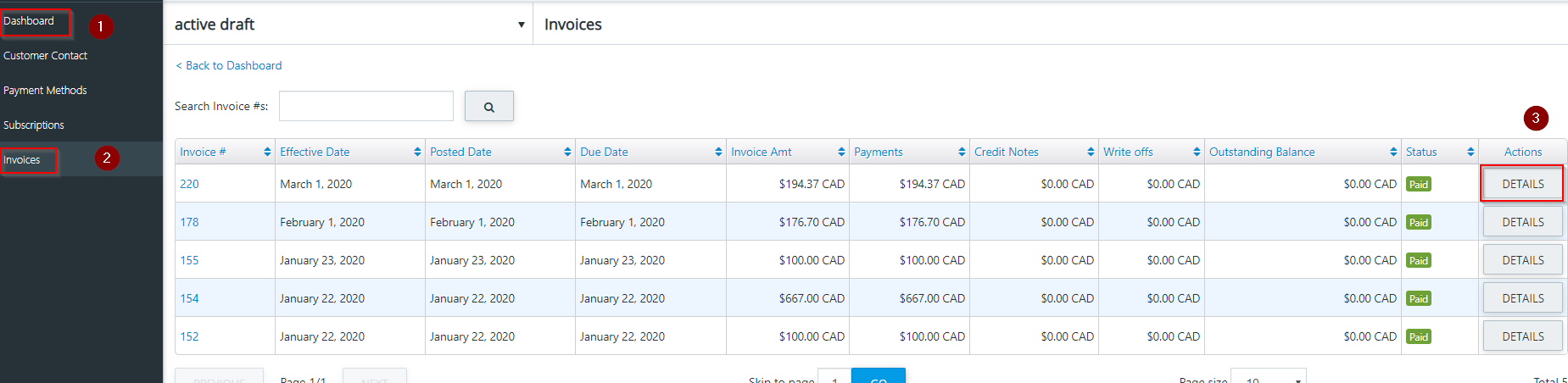
- Click Refund on the invoice.

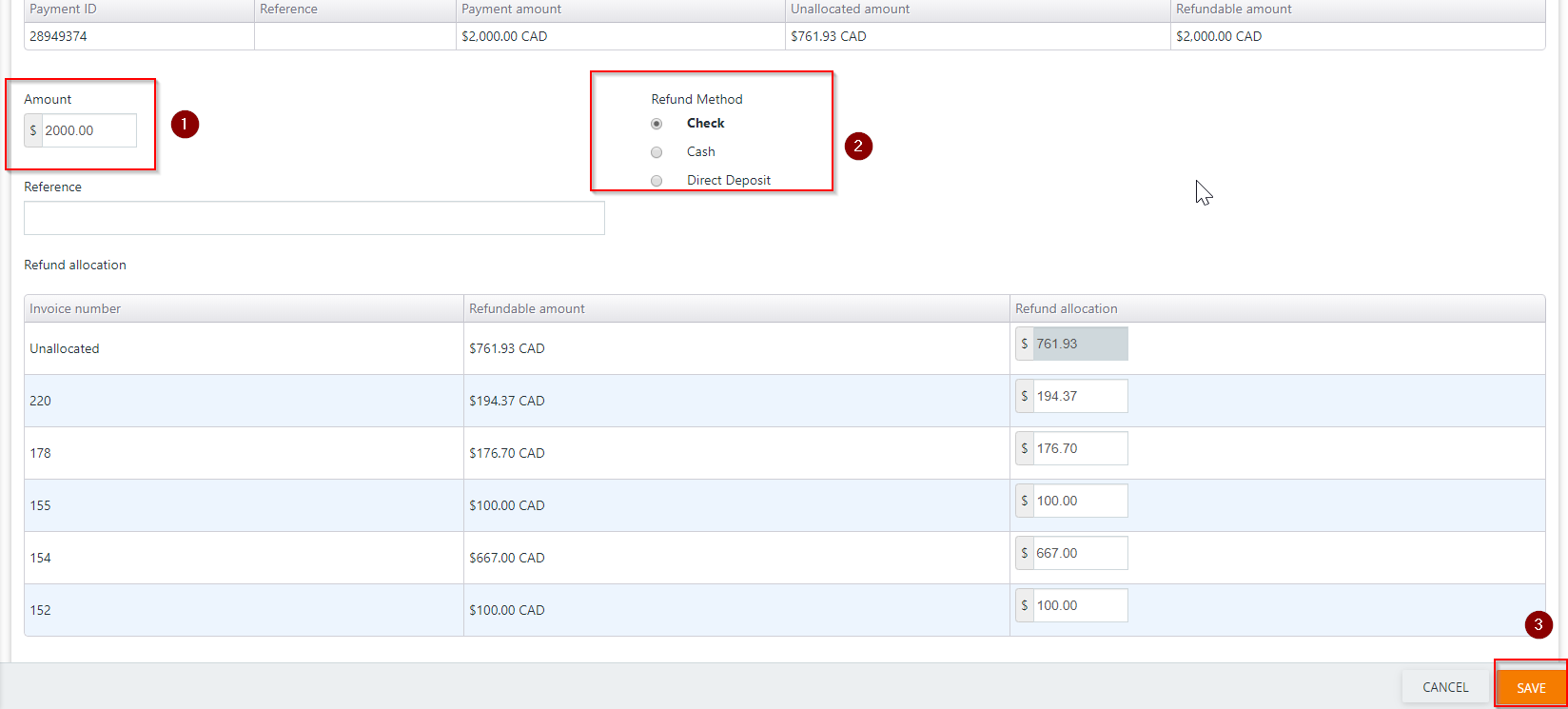
- Enter the amount, select cash or check for the refund method and click Save.
To do this via payments:
- Navigate to the Customer Dashboard and click Payments.
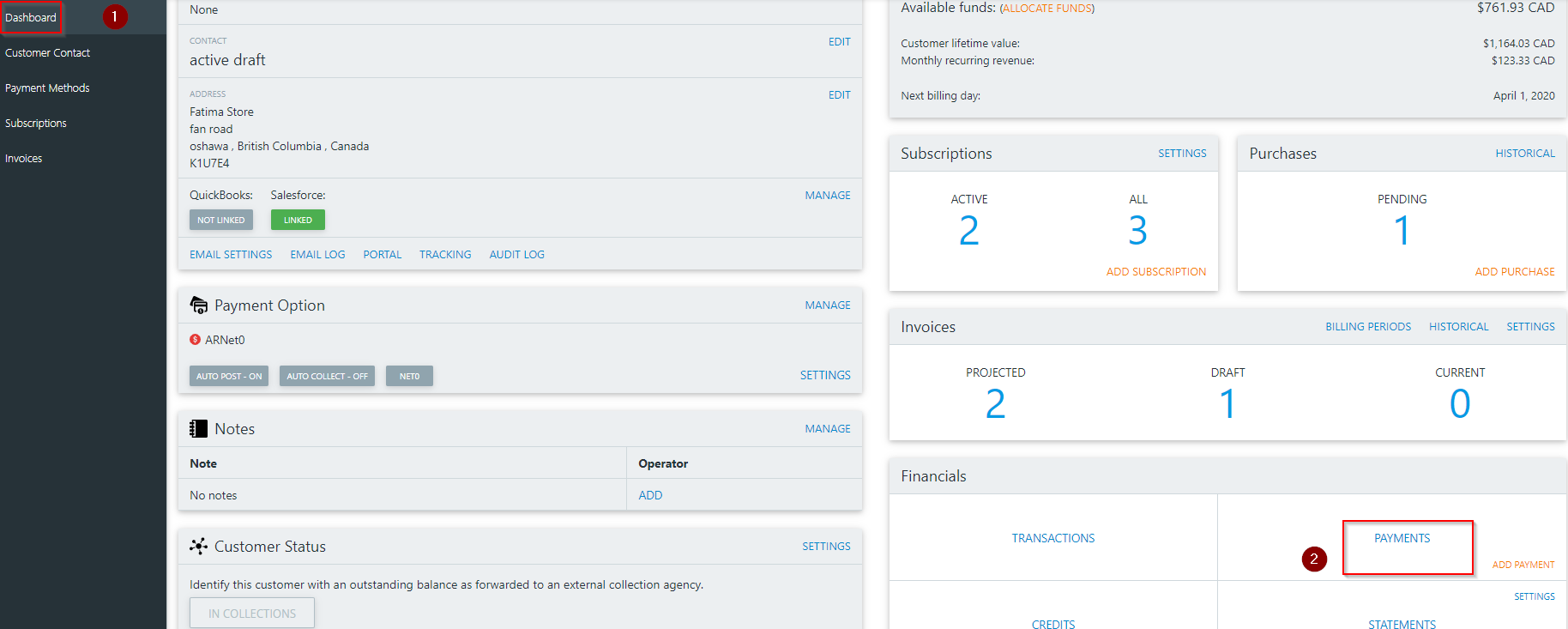
- Click details on the payment in question.

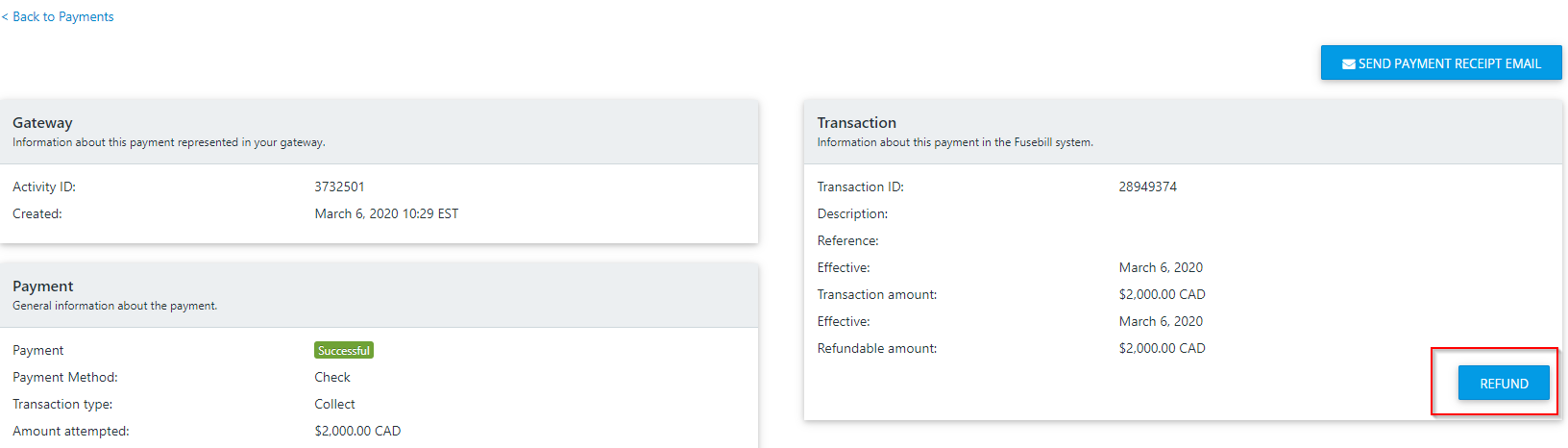
- Click Refund.
- Enter the amount, select cash or check for the refund method and click Save.